Book Appointment Now

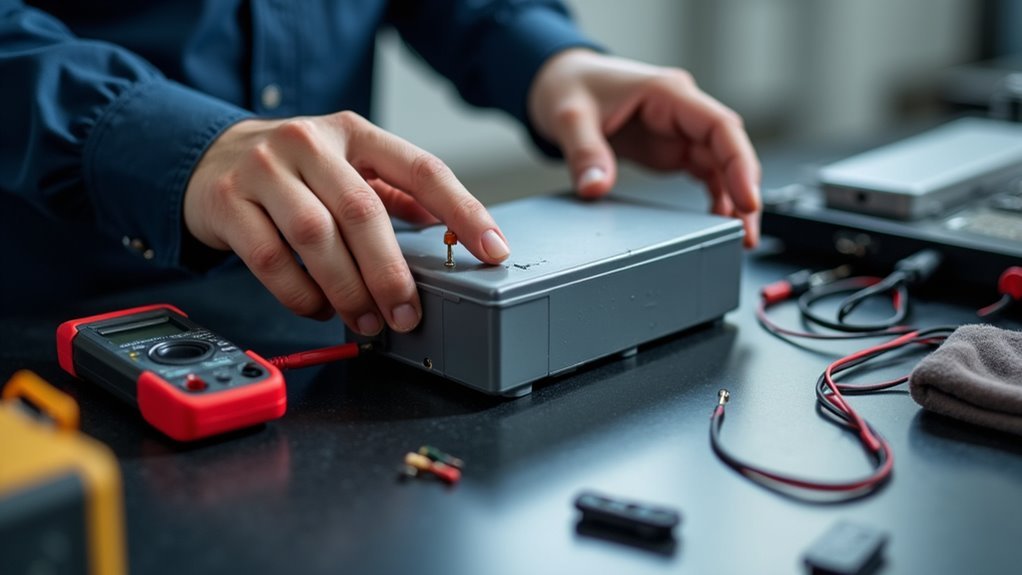
Battery Maintenance Tips for Longer Lifespan
Yes — small charging habits can extend battery life significantly. Using the right charger for a device reduces stress on the battery and supports stable charging. Keeping charge levels roughly between 20% and 80% slows gradual capacity loss. Avoiding high temperatures prevents accelerated chemical wear inside cells. Regular checks on charging behavior and battery health help catch issues early before performance drops.
Identify Your Battery Type First
Before you try any battery care tip, you need to know what kind of battery you’re handling with, because the right habits can change a lot from one type to another.
You’ll see different labels, shapes, and warning marks, and they matter more than they seem. A phone cell, a car battery, and a tool pack don’t follow the same rules, so your battery chemistry guides what feels safe and what doesn’t.
Check the device manual, the label, or the maker’s site before you act. Should you be unsure, pause and look again. That small step helps you avoid mistakes that can cost life and power.
It also makes capacity evaluating and care choices much easier later. Once you know the type, you can join the right routine with confidence.
Charge Between 20% and 80
Most of the time, keeping your battery between 20% and 80% gives it a calmer, longer life.
You don’t need to chase a perfect number every minute, but this mid-range habit helps your device feel steadier day after day.
Whenever you use partial charging, you avoid the strain that comes with full empty-to-full swings. That’s why shallow cycles work so well.
Small top-ups fit real life, whether you’re at work, home, or on the go.
Assuming you can, plug in before you hit the low end and unplug before it sits at 100% for long.
This simple rhythm helps you stay in control, and it helps your battery stay ready without feeling pushed too hard.
Avoid Heat to Protect Battery Life
Heat can quietly wear down a battery, even while everything seems normal, so it helps to keep your device out of hot places and give it cooler breaks while you can. You’re part of a battery-savvy crowd whenever you choose ambient cooling and shade storage. | Tip | Why it helps | Easy action | | Keep away from sun | Lowers stress | Set it on a desk | | Use cool rooms | Slows aging | Charge inside | | Skip hot cars | Prevents swelling | Bring it with you | | Remove thick cases | Lets heat escape | Take it off | | Rest after heavy use | Cools parts | Pause before charging | Warmth also builds up during busy days, so give your battery a little breathing room. Whenever you protect it from heat, you help it stay reliable, and that’s a win for all of us.
Use the Right Charger Every Time
You should match your charger to your battery’s exact specs, because the right voltage and current help it charge safely and work better.
A charger that’s not approved by the maker can push too much stress into the battery, and that can wear it down faster than you’d like.
Whenever you use the right charger each time, you lower overcharging risks and give your battery a much better chance to last.
Match Charger Specifications
A charger can make a big difference, so start matching it to the battery’s exact needs. Check connector compatibility initially, because a loose or forced fit can waste your effort and leave your device feeling ignored.
Then confirm voltage matching, since the wrong level can stress the battery and shorten its useful life. You should also look at current output, because the charger must supply enough power without pushing too hard.
Whenever you pick the right charger, you protect the battery and join a smart habit that other careful users trust. Should you share chargers at home, label them clearly so everyone grabs the right one. That small step keeps your gear working smoothly, and it helps you feel prepared every day.
Avoid Overcharging Risks
Even though your battery seems fine, overcharging can quietly wear it down, so the safest habit is to use the right charger every time and let the device manage the charge the way it was designed to.
Whenever you plug in, trust smart charging and battery timers to stop the rush at the right moment. That way, you’re not forcing extra heat or stress into the battery while you sleep or work.
Also, try to unplug once the device reaches full power, especially whenever you often charge overnight. In case you need a quick top-up, use it with care, not as your daily plan.
Small choices like these help your battery stay in the circle for longer, and they keep you from coping with a tired, moody battery later.
Use Manufacturer Approved Chargers
One small choice can save your battery a lot of stress: use the charger your device or battery maker approved. You fit in better with the battery’s needs whenever you skip risky third party myths and choose trusted gear. A bad charger can push the wrong power, add heat, and wear cells faster.
- Check the label for voltage and amperage match.
- Use only approved plugs, cables, and adapters.
- Trust wireless compatibility only once the maker says it works.
Whenever you charge this way, you protect health and keep performance steady. Should you’ve ever felt unsure, that’s normal. The right charger gives you peace of mind, and your battery gets the care it quietly asks for.
Don’t Leave Your Device Plugged In Overnight
Nightly charging can feel harmless, but leaving your device plugged in overnight can add extra stress should you do it often. Once the battery sits at full charge for hours, it warms up and works harder than it should. You can build a calmer habit with scheduled charging or outlet timers, so your phone fills up before you wake. That small change helps you stay in control without rushing in the morning.
| Habit | What You See | Better Move |
|---|---|---|
| Plugged in all night | A glowing screen on the nightstand | Unplug when it’s done |
| Timed charging | A steady evening routine | Use outlet timers |
| Shared space | Everyone charging together | Set a simple group rule |
Should you’re part of a busy home, this keeps everyone on the same page and helps your battery feel cared for.
Reduce Battery Drain From Background Features
Background apps can keep using power even though you’re not touching your phone, so it helps to limit background refresh for the ones you don’t need.
You can also turn off location services for apps that don’t need your position all the time, which cuts down on silent battery drain.
Small changes like these can make your battery last longer throughout the day without much effort.
Limit Background Refresh
Sometimes, your phone works hard even while you’re not touching it, and that quiet work can drain the battery faster than you expect.
Whenever you limit background refresh, you help your device save power without losing what matters most.
Many apps check for updates, even whenever they sit idle, so trim the ones you rarely use.
That way, you stay in control and your phone feels less busy.
- Open settings and review app refresh.
- Turn off background sync for apps that don’t need constant updates.
- Keep refresh on only for tools you trust and use often.
You’re not cutting corners. You’re giving your phone a fair workload, and that small choice helps your battery last longer through your day.
Disable Unused Location Services
Your phone can keep checking your location even in case you’re not asking it to, and that quiet habit can wear down the battery fast.
Open your Privacy controls and review which apps truly need location access. Some apps only need it while you’re using them, so change those App permissions to “While Using” or “Never.” Then turn off precise location for apps that don’t need it.
Next, check system services like weather, maps, and nearby device features, because they can sip power all day. You don’t have to shut everything off; just trim the extras that never help you.
That small cleanup keeps your phone lighter, calmer, and ready for the moments you actually need it. It also helps you feel more in control, which is a nice bonus.
Check Battery Health Occasionally
Checking battery health occasionally can save you from a lot of surprise shutdowns and last-minute stress. Whenever you use battery diagnostics, you spot trouble before it leaves you stranded.
Your device’s health monitoring tools can show capacity loss, cycle counts, and fast drain issues, so you know what’s changing. That helps you feel part of the people who stay ready.
- Open the battery report or settings page and check the numbers.
- Compare today’s results with last month’s, because small drops matter.
- Observe heat, heavy app use, or weak charging, then adjust your routine.
If the readings keep falling, don’t panic. You’re not failing your device; you’re learning its limits.
A quick check every few weeks gives you confidence and keeps your battery life more predictable.
Store Batteries at 50% Charge
At the time you need to put a battery away for a while, a half charge is usually the safest place to stop. You give the cell a calm resting point, not a stressful one.
For best storage, leave it around 50% and keep it in a cool, dry spot. That balance supports long term preservation because the battery won’t sit too empty or too full.
Should you be storing a device, power it down initially, then check the level before you tuck it away with the rest of your gear. You don’t need to baby it, just treat it like a friend who likes a steady routine.
That simple habit helps your battery stay ready, so your next use feels easy and familiar.
Watch for Battery Wear Signs
You can often spot battery wear when your device doesn’t hold a charge like it used to, even after a full fill-up.
Should you notice the battery dropping faster, taking longer to charge, or feeling weaker during normal use, that’s a sign to pay attention.
You should also check for any swelling, cracks, or other physical damage, since those clues mean it’s time to act quickly.
Reduced Charge Capacity
Once a battery starts holding less and less power, it’s usually trying to tell you something, and that message matters. You’re seeing reduced charge capacity, often called capacity fade, and sometimes voltage depression.
That means your battery can’t stay strong as long, even after a full charge. You don’t need to panic; you just need to notice the pattern and adjust.
- Your device might drop faster during normal use.
- It could reach full charge sooner, then fall off quickly.
- It might feel weaker during the same tasks you trust every day.
When you spot this shift, treat the battery with care. Keep it in a mid-range charge, avoid heat, and use the right charger. That way, you give your battery a better chance to stay in the group longer.
Physical Battery Damage
You could spot cracks, dents, swelling, or a hot spot after impact drops.
In the event the case feels soft or bulges, stop using it right away.
Loose parts, leaks, and rust around terminals also tell you the battery needs care.
For puncture prevention, keep sharp tools away and store batteries in a padded case.
Then check for bent connectors or torn wraps, since those can expose the cell and raise risk.
Whenever you see wear, treat it like a friend’s warning, not a small flaw.
A quick inspection helps you stay safe and keeps the battery group working well.
Make Battery Care a Daily Habit
A battery stays healthier once care becomes part of your normal routine, not a last-minute fix. Whenever you build simple daily rituals, you help the cell stay steady and calm.
To begin with, charge before it drops too low. Then unplug before it sits at 100% for hours. That’s mindful charging, and it keeps you in the battery club that considers ahead.
- Check the charge level each morning.
- Keep devices cool and out of direct sun.
- Use the right charger every time.
You don’t need big changes to fit in with good habits. Just protect the battery a little each day, and it’ll return the favor with better life and fewer surprises. Small steps matter, and they make battery care feel natural.
Frequently Asked Questions
How Often Should Battery Terminals Be Cleaned?
You should clean battery terminals regularly, ideally every few months, and anytime you spot terminal corrosion. Check connection torque too, so your battery stays reliable and you encounter fewer surprise breakdowns.
Can Fast Charging Damage Battery Lifespan?
Yes, fast charging can shorten your battery’s lifespan if you overuse it, because it raises heat and thermal degradation risks. You’ll get better results by using it only when necessary, despite common fast charging myths.
How Should Unused Batteries Be Stored Safely?
You should store unused batteries in a cool, dry place, inside insulated sealed packs with moisture absorbent packets. Keep a rotated stockpile, avoid heat and dampness, and check them regularly so you are always prepared.
When Should a Car Battery Be Professionally Tested?
You should have your car battery professionally examined once it is about three years old; AAA recommends annual checks after that. Consider it like a tune up for your commute—you will catch weakness sooner with load testing and charging diagnostics.
Do Short Trips Affect a Car Battery’s Health?
Yes. Short trips can harm your car battery’s health because they do not give it enough time to recharge, and they can increase parasitic drain, frequent idling, and an incomplete charge. You can help by driving longer on a regular basis.