Book Appointment Now

What Causes Battery Corrosion on Terminals
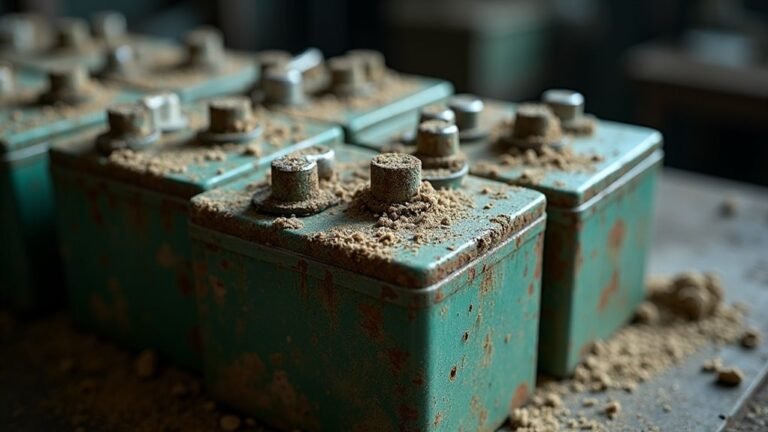
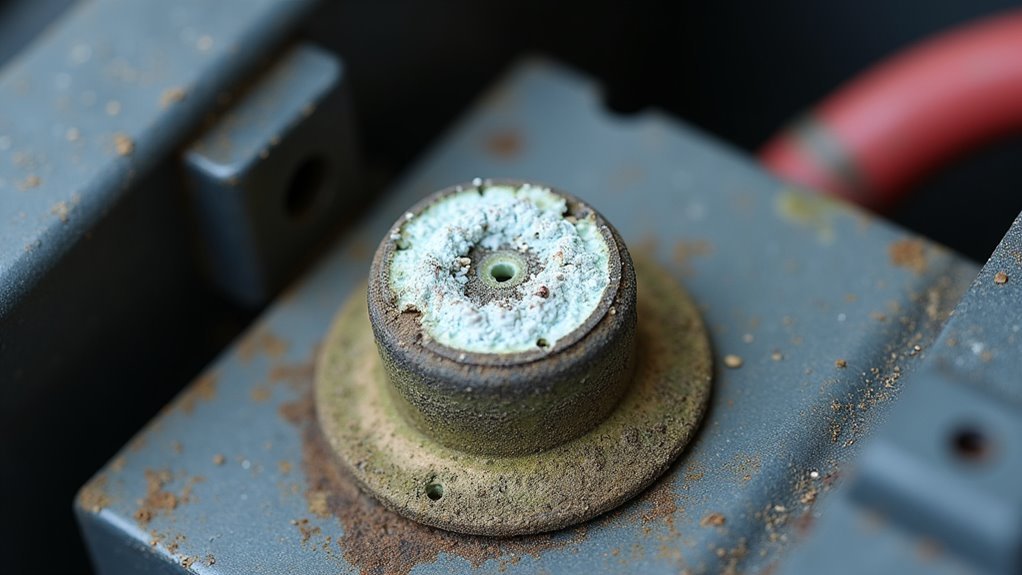
Battery corrosion forms when acid fumes, tiny leaks, moisture, and air react with the terminal metal, leaving white or blue-green crust. Overcharging, loose clamps, aging batteries, and contact between different metals accelerate the reaction. Corrosion reduces electrical conductivity and can prevent proper starting or charging. Simple maintenance and correct charging practices slow or prevent buildup. Regular inspection and cleaning keep connections strong and extend battery life.
What Battery Corrosion Does to Performance
Battery corrosion can quietly steal performance before you even notice a problem. Whenever buildup forms on your terminals, it can block steady power flow and make your system work harder.
You might notice capacity loss initially, because the battery can’t deliver as much useful energy for each start or device use. Then voltage sag shows up, especially when you request a quick burst of power. That drop can make lights dim, cranking feel slow, and accessories act a little off.
In the same way, dirty connections can add resistance, so your battery wastes energy instead of sharing it with your vehicle. Should you catch these changes early on, you’re not alone, and you can keep things running smoother with confidence.
What Causes Battery Corrosion?
In case you’ve already seen how corrosion can hurt battery performance, the next question is usually why it shows up in the beginning. You’re usually seeing electrochemical fundamentals at work.
Inside a lead-acid battery, sulfuric acid might react with terminal metals and slowly oxidize them. That’s why you could notice white residue or blue-green crust on the posts.
Material compatibility matters too, especially whenever copper clamps touch lead terminals. Then copper sulfate can form and leave that stubborn buildup.
Normal charging and discharging also release gases, and those gases can react on the surface and speed things up.
Once your battery ages, these reactions often grow stronger, so corrosion could feel like an annoying club nobody asked to join.
Moisture and Electrolyte Leaks
Whenever moisture lingers around your battery, it can mix with acid residue and accelerate corrosion on the terminals.
Should a leak let electrolyte escape, that acid can hit exposed metal and quickly start eating away at the connections.
You might initially notice crusty buildup or discoloration, and that’s a good sign the damage has already started.
Moisture Exposure Effects
Moisture can turn a small battery issue into a messy one fast, because water gives acid residue a place to spread and stick. You’ll notice more corrosion when ambient condensation forms on cold mornings or whenever vapor adsorption lets damp air cling to metal. That extra wetness helps crusty deposits grow around the posts and clamps, and it can make you feel like the battery’s working against you.
| Moisture source | What it does |
|---|---|
| Humid air | Stays on terminals longer |
| Condensation | Feeds sticky buildup |
| Wet storage | Speeds corrosion spread |
Whenever you check your battery, look for dull, damp, or chalky spots before they get worse. Should you catch them promptly, you’ll keep your connections cleaner and feel more confident every time you turn the key.
Electrolyte Leak Damage
A small leak can sneak up on you, and battery electrolyte damage often starts that way.
Whenever acid escapes, it can soak the area around your terminals and mix with moisture in the air. That blend speeds up electrolyte crystallization, leaving crusty buildup that can spread under clamps and wires.
In case your battery case is cracked, swollen, or poorly sealed, you might notice damp spots, white residue, or a sharp acid smell.
You don’t have to ignore it or feel stuck. Clean the area, check for loose parts, and inspect sealing techniques before the leak grows worse.
Better sealing helps keep acid inside, protects metal, and gives your battery a longer, steadier life.
Overcharging and Gas Buildup
Whenever you overcharge a battery, it pushes out extra gas and heat that can speed up corrosion around the terminals.
That pressure can stress seals and vents, so acid mist might collect on the posts and leave crusty deposits behind.
Should you notice buildup after charging, you’re likely seeing a sign that the battery has been working too hard.
Overcharge Gas Release
Overcharging can quietly turn your battery into a little gas factory, and that’s where corrosion often starts. Whenever you keep charging too long, you push extra gas through the venting mechanisms, and gas recombination can’t keep up.
That leftover gas escapes around the posts, then moisture and acid mix on the metal. You might see white crust or blue-green specks, and it can feel annoying because your battery should be doing its job, not making a mess. Should you notice this often, the charge rate could be too high or the battery could be aging.
Pressure Buildup Damage
Because extra charging pushes pressure and heat inside the battery, the case and vents start working harder than they should. You might notice the battery swelling, hissing, or running warm as internal gas pressure climbs.
That stress can strain the vent membrane, so gases escape too fast or in bursts. Whenever that happens, your terminals face extra abuse from trapped vapor and heat cycling.
Over time, the metal around the posts can weaken, and the connection could feel less secure. Should you spot these signs prematurely, you can protect your setup and keep your group of parts working together.
Terminal Acid Deposits
As excess charging keeps your battery working harder than it should, gas starts to build up inside and push acidic mist toward the terminals. You might see white crust, blue-green spots, or wet residue where the mist lands. That buildup comes from acid settling on metal, then drying into tough deposits.
Whenever this keeps happening, electrolyte crystallization can form around the posts and clamps, making contact weaker and messier.
If you check the area promptly, terminal pH mapping can help you spot the most acidic spots before the damage spreads. You’re not handling a failure alone; many drivers run into this after a charger overworks the battery. So keep an eye on heat, swelling, and fresh buildup. Small checks can save you from a no-start surprise.
Battery Age and Terminal Wear
As a battery gets older, its terminal wear can quietly set the stage for corrosion. You mightn’t notice it initially, but repeated use rubs down the metal, and terminal metallurgy starts to matter.
Each charge cycle brings tiny changes, while contact wear slowly roughens the surface. That worn edge gives moisture and acid residue a place to cling, so buildup can form more easily.
Over time, aging batteries also work harder, and that extra strain can speed surface damage around the posts. Should you stay alert, you can catch these changes early on and protect your connection before problems spread.
A quick inspection every few months helps you feel on top of things and keeps your battery’s terminals in better shape.
Loose or Damaged Battery Connections
- Check for movement at the posts.
- Look for damaged clamps that won’t tighten evenly.
- Watch for white or blue-green buildup near the contact points.
You’re not alone provided this feels frustrating. A snug, clean connection helps your battery team up with the rest of your system. Provided the metal looks bent or cracked, replace it soon so the problem doesn’t keep coming back.
Heat, Humidity, and Road Salt Exposure
At the moment heat, humidity, and road salt all show up at the same time, your battery terminals can get hit from more than one side.
Warm days speed up reactions, while damp air keeps moisture on the metal.
Then thermal cycling, whenever your car heats and cools again, can open tiny gaps that let grime settle in.
In case you drive where roads get salted, salt spray can cling to the terminals and pull in even more moisture.
That mix helps corrosion grow faster than you’d like.
You can stay ahead of it through checking for crusty buildup, rinsing away salt after winter drives, and keeping the battery area dry.
A clean, snug connection gives you more peace of mind every time you turn the key.
How Acid Fumes Damage Terminals
As soon as acid fumes escape inside your battery area, they can settle on the terminals and start breaking down the metal surface.
You may notice white or blue-green crust forming as the fumes mix with moisture and air.
Over time, that surface erosion can weaken the connection and make your battery act up.
Acid Vapor Exposure
Breathing out concealed damage, acid vapor can quietly eat away at your battery terminals long before you notice a problem. Whenever sulfuric vaporization happens inside a lead-acid battery, tiny fumes drift up and meet cooler metal. Then acid condensation forms, and that film starts a reaction that weakens the connection you rely on every day.
You’re not alone whenever this feels sneaky; it catches many drivers off guard.
- Fumes gather around the posts.
- Moisture helps the acid cling.
- Metal reacts and leaves crusty residue.
Terminal Surface Erosion
Even a thin layer of acid fumes can start wearing down your battery terminals before you spot any real damage.
You could notice tiny dull spots initially, then rough edges that spread as fumes keep landing on bare metal.
Those acids trigger micro pitting mechanisms, so the surface loses its smooth shield and starts to weaken.
Once that happens, moisture can settle in the pits and make the attack stronger.
In case your terminals sit near old seals or vented gases, the metal can age fast and feel crumbly under a clamp.
Surface passivation treatments help slow this wear through adding a protective barrier, but they work best provided you clean buildup early.
Stay watchful, because your battery team deserves connections that stay solid and ready.
Signs Battery Corrosion Is Getting Worse
One of the clearest signs battery corrosion is getting worse is that the buildup starts to spread, thicken, and come back soon after you clean it. You might also notice terminal pitting, where the metal looks eaten away, and voltage drift, where your readings keep changing without reason.
That shift can leave you guessing, but you’re not imagining it. Watch for these clues:
- White, blue-green, or crusty deposits return fast.
- The clamps feel looser or warmer than usual.
- Your lights or starter act weaker after sitting.
When you see several signs together, the problem is moving past surface buildup. It’s becoming a shared headache for your battery and connections, and it needs attention before the damage spreads farther.
How to Clean Battery Corrosion Safely
Start through shutting the battery off the right way, because a calm, careful setup makes the rest much safer.
Next, wear glove protection and eye protection so you can work without worrying about skin or eye contact.
Then open the hood and check the vent caps. Should you see cracks or wet spots, pause and get help.
Mix baking soda with water, then use a small brush to touch the crusty buildup on the terminals. The fizz is normal, and it means the acid is reacting.
After that, wipe the area with a damp cloth and dry it well. Use a wire brush for stubborn spots, but remain gentle.
Finally, reconnect the clamps tightly and keep your hands clear while you work.
How to Prevent Battery Corrosion on Terminals
You can prevent battery corrosion via keeping the terminal area clean, dry, and tightly connected, because small habits make a big difference over time. Then you build a routine that protects your ride and keeps you confident on the road.
- Check for loose clamps and tighten them gently.
- Use terminal coatings to slow moisture and acid buildup.
- Do preventive inspections whenever you open the hood, especially after wet weather.
Wipe away dirt, road salt, and dampness before they settle in. Also, watch for white or blue-green crust, since it often starts small.
Should your battery seem old, give it a little extra care, because wear can invite buildup. With steady attention, you’ll feel like part of a crew that keeps things running strong.
When Battery Corrosion Means Replacement
Sometimes a little corrosion is just a cleaning job, but heavy buildup can tell a different story.
Should you scrape away crust and it comes back fast, your battery might be failing inside.
You should watch for swollen cases, leaking fluid, repeated slow starts, and green or white deposits that spread under the clamps.
Whenever these signs show up together, replacement often makes more sense than another scrub.
That choice can also affect warranty implications, so check your paperwork before you spend more.
In case the battery is old, damaged, or keeps venting acid, it’s safer to move on.
Then you can ask a shop about disposal options and recycling, so you stay protected and keep things simple for your car and your crew.
Car Battery Corrosion vs. Household Batteries
While car batteries and household batteries can both show corrosion, they don’t usually fail in the same way.
In your car, acid leaks, charging stress, and damp air often attack the terminals.
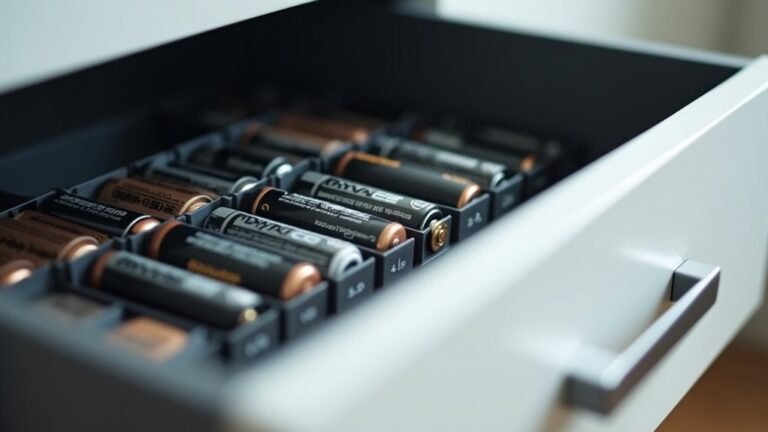
In your home, alkaline leakage from AA or AAA cells usually leaves a dry, crusty film that stops devices from working.
Rechargeable differences matter too, because many packs manage power in ways that create different wear patterns.
- Car batteries often corrode around posts and clamps.
- Household batteries usually leak inside the device tray.
- Both need quick cleaning so damage doesn’t spread.
You’ll feel more confident once you know the type, because the right fix starts with the right battery.
Battery Corrosion Myths to Ignore
A lot of battery corrosion advice gets twisted by myths, and that can leave you feeling stuck whenever all you want is a clear fix. You don’t need to chase every rumor.
Some electrochemical myths blame only age, but moisture, loose clamps, and charging trouble can play a bigger part.
Other maintenance misconceptions say baking soda alone solves everything, yet you still need to check leaks, vent caps, and cable fit.
You might also hear that any white crust means a dead battery, but buildup can start with small acid escape or normal gas release.
Frequently Asked Questions
Why Do Copper Clamps Turn Blue-Green on Battery Terminals?
You see blue green copper sulfate forming whenever sulfuric acid or electrolyte vaporization meets copper clamps and lead terminals. That patina formation signals corrosion, especially should your battery vents, leaks, or overcharges, leaving deposits behind.
Can Battery Corrosion Happen Without Visible Leaks?
Yes, you can get corrosion without visible leaks because internal gassing releases electrolyte vapor that settles on terminals. You will still see crusty buildup, especially if the battery is old, overcharged, or poorly sealed.
Does Infrequent Driving Increase Terminal Corrosion Risk?
Yes. If you drive infrequently, you can raise terminal corrosion risk. About 3 to 5 years is a typical battery life, and battery neglect lets sulfur fumes and moisture build up, harming your connection.
Why Does Corrosion Form More on the Positive Terminal?
You’ll see more corrosion on the positive terminal because charging drives stronger electrochemical gradients at that terminal, which enhances gas release and oxidation. That weaker surface passivation lets acid deposits form faster, especially when you overcharge or use old batteries.
Can Temperature Swings Weaken Battery Seals and Worsen Corrosion?
Yes, temperature swings can weaken battery seals and worsen corrosion. Thermal cycling puts stress on battery components, speeds seal degradation, and allows moisture and gases to escape. You can help protect your battery by inspecting seals regularly and keeping operating temperatures as steady as possible.