Book Appointment Now

What Happens During a Powerwall Charging Cycle
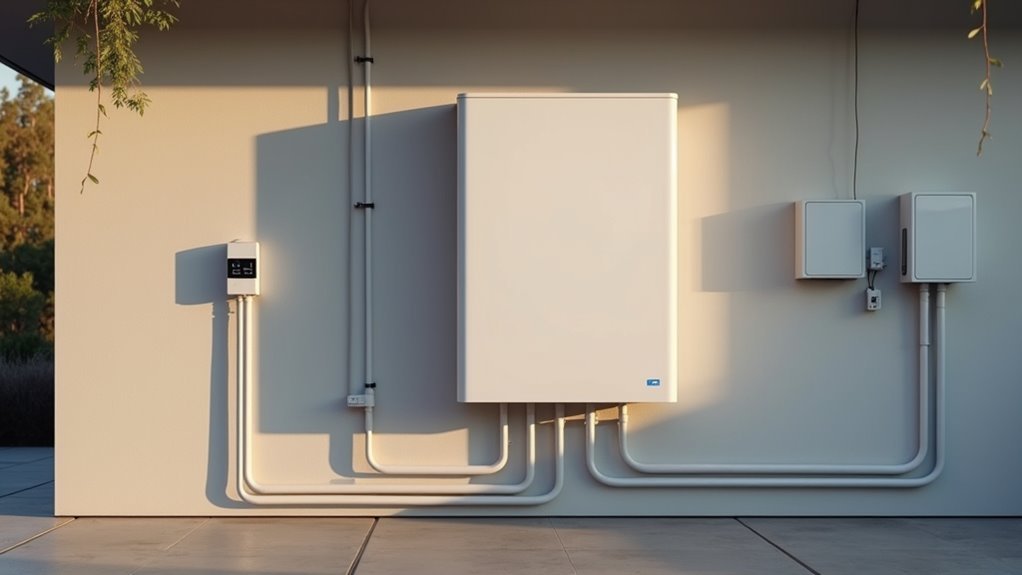
A Powerwall charges by taking excess solar or grid power, filling its battery until a set target is reached. It waits until home demand is met or cheaper grid hours begin, then draws energy. The system continuously monitors solar production, household load, battery state, and temperature to adjust charging rate. Charging stops once the battery reaches the stored target or conditions change. This real-time balancing maximizes efficiency and battery life.
What Starts a Powerwall Charging Cycle?
A Powerwall charging cycle usually starts once your home has extra energy, and that extra power needs somewhere useful to go.
You’ll usually see it begin whenever solar panels make more than your house uses, or whenever your system’s user intent asks for grid charging during cheaper hours.
Those start triggers help your battery know when to act without you watching every detail.
In the event you set a reserve, Powerwall might wait until charging won’t cut into backup energy.
Then it shifts into motion, filling toward the chosen level while your home still gets priority use of the power.
During this phase, the system keeps balancing comfort, savings, and readiness, so you can feel part of a smart energy routine that works alongside you.
How Does Powerwall Charge From Solar or Grid Power?
Your Powerwall usually charges from solar initially, so any extra energy from your panels flows into the battery after your home’s needs are met.
Should you’ve set it up for grid charging, it can also pull power from the grid during off-peak hours or whenever rates are lower, which can make your bill a little friendlier.
In both cases, it keeps charging until it reaches the target state of charge, then it switches back to normal self-consumption or backup-ready mode.
Solar Charging Path
At the time sunlight pours in and your home isn’t using it all, Powerwall quietly steps in and takes the extra energy. You feel this as solar headroom that keeps your system ready for midday buffering.
To begin with, your home uses what it needs, and then the leftover power flows into the battery. Because the battery charges only from true surplus, you stay close to your own solar rhythm.
- Strong sun means faster filling
- More home loads mean slower charging
- A full battery leaves room for later use
As the day shifts, Powerwall raises its state of charge toward the set target. In case you still have extra solar, the battery might keep sipping power until it reaches that level. Then it pauses, so you and your home can stay in step with the sun.
Grid Charging Path
Whenever solar can’t do all the work, Powerwall can switch gears and draw from the grid instead. You get a smoother night whenever grid tied control lets the system read utility pricing signals and choose cheaper hours for charging. | Charge Source | When It Happens | What You Feel |
| — | — | — |
|---|---|---|
| Solar surplus | Daytime sun exceeds home use | More clean power stored |
| Grid power | Off-peak or scheduled window | Lower-cost charging at night |
| Mixed mode | Solar and grid both help | Steady comfort, less waiting |
Your Powerwall might start around 2:00 and stop near 5:00, then return to self-consumption. It raises state of charge toward the target, but it won’t rush to 100% unless calibration or settings call for it. That means you stay ready, your home stays calm, and your battery works like part of the team.
What’s Happening Inside Powerwall While It Charges?
Inside Powerwall, charging is a careful handoff of energy, not just a fast fill-up. You’re watching internal chemistry accept electrons and store them for later use, while thermal management keeps things steady and calm. That balance helps the battery charge smoothly without wasting power.
- Solar surplus or grid power enters initially.
- The system raises state of charge toward its target.
- Your home still gets priority should it need power.
As charge rises, Powerwall stays alert to your settings, so you feel in control without needing to babysit it. In case your house suddenly uses more energy, charging can slow or pause, then pick up again. That’s how Powerwall keeps working alongside you, not against you, while it builds readiness for the next quiet evening or surprise outage.
How Does Powerwall Manage Heat and Battery Health?
How does Powerwall stay cool enough to work hard without wearing itself down? It uses thermal management to keep internal temperatures steady, so you can trust it through long charge sessions. That matters because heat can stress cells and trim battery life. Powerwall’s software watches charge rate, home demand, and battery conditions, then chooses safer paths that fit your routine. These longevity strategies help your system age more slowly while still supporting your home.
| Action | Why it helps |
|---|---|
| Controls charging pace | Lowers heat build up |
| Balances home loads | Reduces battery strain |
| Monitors cell conditions | Protects battery health |
| Adjusts with software | Supports longer life |
When Does Powerwall Stop Charging?
You set the charge limit, and Powerwall stops once it reaches that target, so it won’t keep pushing past the point you chose.
Should you’ve left room for solar headroom or an outage reserve, it could stop earlier than full to protect that space.
In some cases, it’ll also stop at 100% during calibration or a full battery cutoff, then switch back to normal self-consumption.
Charge Limit Settings
A Powerwall doesn’t keep charging forever, and that’s actually a good thing. You set charge limits so the system knows at what point to stop, and that keeps your home ready without wasting room you might want later. With reserve thresholds, you can protect backup energy for outages, so you don’t feel caught off guard. During calibration scheduling, Powerwall could also push past your usual target to stay accurate, then return to your normal setting.
- Your lower reserve can hold power for peace of mind.
- Your upper limit helps preserve solar headroom.
- Your schedule can favor off-peak charging and calm routines.
Once the battery reaches your chosen level, it stops charging and shifts back to self-consumption. That gives you control, and it helps your setup feel like it belongs to your life, not the other way around.
Full Battery Cutoff
Once your Powerwall hits its set limit, it stops charging and shifts back to the job you actually need it to do.
| What you see | What it means |
|---|---|
| SoC reaches target | Charging ends |
| Solar still flowing | Extra power might go to loads |
| Grid charging active | Session pauses at the limit |
| calibration override starts | Powerwall could briefly ignore normal limits |
| export prevention stays on | Energy won’t leave your home unless permitted |
That cutoff feels simple, and that’s the point. Your system protects room for outage backup, keeps daily cycling tidy, and avoids pushing the battery past its plan. Should calibration be running, it can briefly reach 100%, even with export prevention in place. After that, Powerwall eases back into self-consumption, so your home stays in the family.
How Do Charging Cycles Affect Backup Power and Savings?
Charging cycles do more than fill your Powerwall, because they also shape how ready it’s whenever the lights go out and how much money you save over time.
Whenever you keep the battery charged for outages, you enhance backup readiness and protect your home whenever storms hit. At the same time, cost optimization helps you charge during cheap hours or from extra solar, so you spend less on power.
- A fuller battery gives you more quiet confidence.
- Off-peak charging can cut your bill.
- Daily cycling can still preserve space for solar later.
Because the system balances reserve and savings, you don’t have to choose one or the other. You get a battery that works with your routine, supports your household, and stays ready for the moments that matter most.
Frequently Asked Questions
How Long Does a Full Powerwall Charge Usually Take?
Typically you’ll need about 2.5 to 7 hours for a full Powerwall charge depending on input and loads. Your battery longevity benefits from smart charge algorithms that fit your home’s rhythm too.
Can Powerwall Charge While Powering the House?
Yes, you can charge your Powerwall while it powers your house. During battery balancing and grid interaction, your home’s loads are served first, and then any extra solar or grid energy safely tops up the battery.
Does Powerwall Always Charge to 100%?
No, it does not always charge to 100%; you will often see partial cycling instead. That helps preserve battery longevity, keeps headroom for solar, and fits your home’s daily needs while still staying backup ready.
What Happens if Solar Production Drops During Charging?
Your Powerwall slows, pauses, or shifts to powering your home as solar production drops; that is solar intermittency at work. You will see charge throttling, not failure, as the system protects your battery and keeps you covered.
Can Calibration Override My Charging Settings?
Yes, calibration can override some charging settings, and you may notice battery balancing or firmware updates changing behavior briefly. You remain in control afterward, and your Powerwall will return to your usual schedule and preferences.