Book Appointment Now

How to Read a Battery Date Code
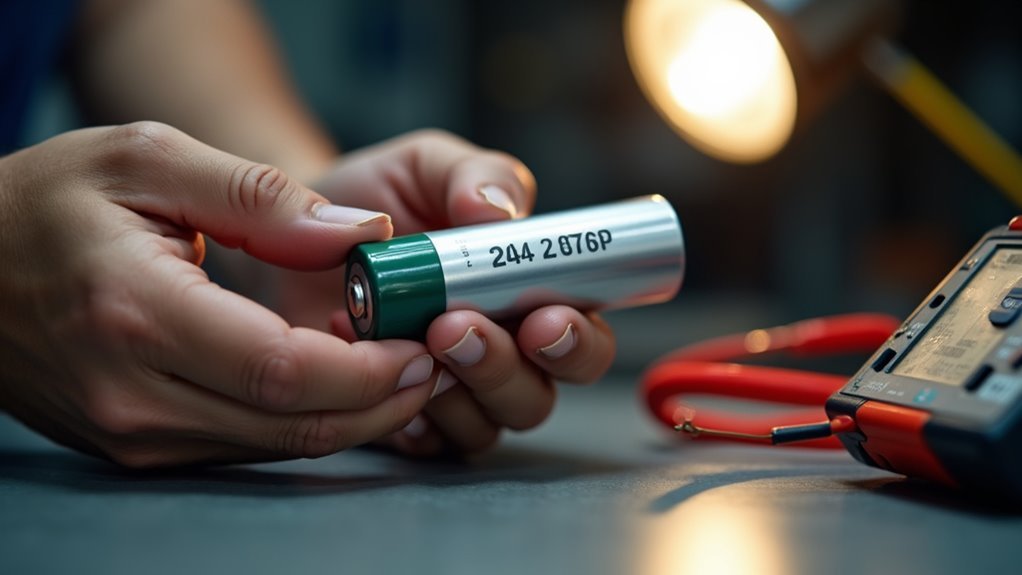
Batteries often carry a small code that tells the manufacturing month and year. You can spot this code near the top, on the label, or by the terminals. Letters, numbers, or a sticker format map to specific months and years. Knowing the date prevents buying a battery that looks fine but will fail quickly. This quick guide helps you read those markings and pick a fresher battery with confidence.
What Battery Date Codes Mean
A battery date code is a small clue with a big job. You read it to learn whenever the battery was made, and that helps you judge its true age, not just whenever you bought it. In many cases, the code shows a month and year, though some systems use letters, numbers, or both. Once you know the pattern, you can compare it with manufacturing trends and spot newer or older production runs.
That matters because age affects strength, storage life, and warranty implications. It also helps you feel sure you’re not guessing alone. Whenever the code looks odd, don’t panic. Manufacturers often use different formats, so the same battery family can speak a slightly different code language.
Where to Find Battery Date Codes
You can usually find a battery date code on the label, the top cover, or the back side of the case, so start there initially.
In case you don’t see a sticker, check for a stamped mark, embossed number, or laser-etched code near the terminals or molded into the case.
Once you know the spot, the code is much easier to spot and read without stress.
Battery Label Locations
As you’re trying to read a battery date code, the initial step is simply finding it, and that can feel a little like a treasure hunt.
You’re not alone, though. Check the top, cover, back side, and any label or sticker initially.
On some batteries, the code is stamped, engraved, embossed, or even laser-etched, so a sticker isn’t always there.
In case you’re comparing placement diagrams or storage tips from the maker, use them to spot the right face fast.
On flooded lead-acid batteries, look near the positive terminal too.
AGM models often keep the date on the cover.
Supposing the code seems missing, scan for a serial or label-based date elsewhere on the case.
A quick wipe can help reveal faint marks without any guesswork.
Terminal Stamp Marks
Sometimes the clearest battery date code hides in the place most people skip initially: the terminal area.
You should look closely at the positive terminal initially, because some makers use terminal imprinting there instead of a sticker.
The mark might be stamped, engraved, or heat-marked, and it can sit small and quiet near the post.
Wipe away dirt gently, so you can see the code without scratching the metal.
Should electrode corrosion covers the area, clean it safely and check again.
Then match the letters or numbers to the maker’s chart.
This step helps you feel sure, not lost, whenever the code is hard to spot.
A clear read can save you time and help you join the crowd of battery owners who know what they’re seeing.
Case Mold Codes
Now check the battery case itself, because the date code often hides in the molded plastic or printed label where it’s easy to miss at initial glance.
You’ll often spot it on the top, cover, back side, or near the positive terminal.
Look for a case mold mark, embossed letters, stamped numbers, or a small sticker.
Should the surface feel rough or show casting defects, slow down and inspect that area closely, since the code can blend into the texture.
On AGM batteries, the date might be laser-etched on the cover.
Some brands place a serial or label-based date elsewhere, so keep scanning in case the original spot looks blank.
As you compare the mark with the maker’s chart, you’re not guessing alone.
You’re reading the same clue the battery’s own community would rely upon.
Common Battery Date Code Formats
Battery date codes can look confusing at initially, but once you learn the common patterns, they start to make sense fast. You’ll often see alphabet codes, numeric sequences, or a mix of both on a battery case.
Some brands use one letter for the month and one number for the year, while others place a simple month/year sticker like 3/15. You might also encounter longer strings where the opening two characters hold the date clue.
U.S. Battery and other makers add their own twists, so the same mark can mean different things. That’s why you should stay patient and check the brand’s chart.
Once you spot the pattern, you’ll feel right at home, and your battery won’t seem so mysterious anymore.
How to Read Battery Date Codes?
Initially, you need to find the date code on the battery case, since it can hide on the top, label, back, or even near the terminal. Then you can match the letters and numbers to the right month and year, because each maker uses its own pattern. So, check the manufacturer’s chart before you guess, and you’ll read the code with a lot more confidence.
Date Code Location
On the battery case, the date code usually hides in plain sight, so you don’t have to play detective for long. Check the top, cover, back side, and label initially.
Then look near the positive terminal on some flooded batteries. AGM models might use a laser-etched mark on the cover.
Because packaging variations can change where makers place it, stay patient and scan every surface. Should the code still slip away, use inspection tools like a flashlight and a clean cloth to reveal stamps, embossing, or faded stickers.
Some batteries also carry a serial or label-based date identifier elsewhere on the case. Once you spot the mark, you’re in the right place to read it with confidence and feel like you belong in the know.
Decode Letter Numbers
Now that you’ve found the code, the next step is to crack the letter-and-number pattern without stress. You belong here, and this part gets easier once you know the trick.
Start with letter mapping. Many batteries use A through L for January through December, so the letter points to the month.
Then look at the number. In some systems, it shows the last digit of the year, while other numeric cycles use two digits for a full year. Keep both pieces together, because the code works as a pair.
Should you see M0, that could indicate November 2020. Should you see 8C, the number and letter might swap roles across brand.
Stay calm, read each symbol, and let the pattern do the work.
Check Manufacturer Format
Every battery brand has its own way of telling time, so the next step is to match the code to the maker’s format before you trust the date. You might see a sticker, a stamped mark, or a laser-etched line, and each one can hide different coding variations. That’s why a quick manufacturer lookup matters.
It helps you learn whether the initial letter shows the month, the number shows the year, or the code uses a full date string. Whenever you compare the code with the brand’s chart, you avoid guessing and feel more confident about the battery in your hands. Should the mark look strange, don’t worry. Many brands mix formats across product lines, so check the exact model prior to deciding the age.
Decode Date and Factory Letters
To decode the date and factory letters, start via reading the code as a small message made of parts, because each letter or number can point to a specific month, year, or plant. You can trust factory codes once you know the chart, since plant mapping ties each mark to one site.
Then check the letter meanings: one letter might name the month, while another marks the year or plant. Some brands fold serial patterns into the same line, so the order matters. Read left to right, and don’t rush the mix of digits and letters.
Should the code look odd, stay calm; you’re not behind, you’re just learning the battery’s language. With practice, the code feels less like puzzle noise and more like a clear, shared signal.
How to Check Battery Age
Battery age can feel tricky at initially, but you can check it stepwise without guesswork.
Initially, find the code on the top, cover, label, or terminal area.
Then match the month and year to the maker’s chart, since formats change across brands.
Should you see a sticker, stamped mark, or laser-etched code, read it the same way.
You can also use the code to estimate battery lifespan in months, not just years, which feels more real in daily use.
In case the code is faded, look for a serial date ID or a purchase sticker.
That helps with warranty validation too.
Once you compare the date with today, you get a clear age check and a better sense of where your battery stands in the crew.
Why Battery Freshness Matters
Fresh batteries usually give you stronger performance, longer shelf life, and fewer surprises whenever you need your car or device to start.
As a battery sits in storage, it can lose power and slowly wear down even though it looks fine on the outside. That’s why you should watch for old stock signs like faded labels, dusty cases, or lots of corrosion prior to your purchase.
Battery Shelf Life
Usually, battery freshness matters more than people expect, because a battery can look fine on the outside and still have lost a big part of its life on the shelf. You want a battery that hasn’t sat too long, because shelf life changes with storage temperature, humidity, and manufacturing variance.
Whenever a battery stays in a hot place, it can age faster, so you should check the code before you buy. In case you shop with a friend or teammate, you’re not being picky, you’re being smart.
A fresher battery usually gives you more confidence, fewer surprises, and a better start for your gear. That little date code helps you choose one that feels current, reliable, and ready to join your setup without drama.
Performance Loss Over Time
As the months pass, a battery slowly loses some of the punch you expect from it, even though it still looks clean and fully charged. You’re not imagining it. Age brings capacity decline, so the battery stores less energy and powers your gear for a shorter time. At the same moment, internal resistance rises, which makes it work harder to deliver the same output.
| Time | What you feel |
|---|---|
| Fresh | Strong starts |
| Older | Slower pull |
That shift can leave you waiting just as you need quick power, and nobody in your circle wants that awkward pause. On the occasion you know the date code, you can match freshness to performance and feel more confident choosing the battery that fits your needs.
Signs Of Old Stock
Old stock can hide in plain sight, and that’s why battery freshness matters more than most people believe. Whenever you shop, you should watch for faded labels, dusty cases, and codes that look rubbed off. Those signs often point to expired inventory that sat too long before it reached you.
Should a battery look clean but the date code is old, you might still be holding stale stock. Ask where it came from and how often the store moves product, because strong warehouse turnover usually means fresher batteries.
You can also check for corrosion near the terminals or a weak charge before you buy. These clues help you spot a battery that’s been waiting too long, so you can choose one that fits your needs and your peace of mind.
Signs of an Old Battery
One clear sign of an older battery is that it starts acting tired long before it dies. You could notice reduced capacity, so your car cranks slower, lights seem dimmer, or accessories fade sooner than they should.
As wear builds, increased resistance makes the battery work harder, and that extra strain can leave you stranded on a busy morning. You may also spot swelling, leaks, or heavy corrosion around the terminals.
These clues often show up together, and they usually mean the battery is losing strength, not just having an off day. Should you keep seeing the same weak starts, trust that feeling. Your battery is telling you it needs attention, and you deserve dependable power when you turn the key.
How to Read Car Battery Date Codes
Before you can trust a car battery, you need to know how to read its date code, because that little stamp or sticker tells you at what point the battery was made.
Start by looking on the top, cover, back side, or label. You might see a stamped code, a laser-etched mark, or a simple month/year sticker. Then match the month and year to the maker’s chart. For many batteries, A to L means January to December. Some use letters and numbers, like 8C or M0.
Should the code be hard to see, check for a serial number or another label. This helps you judge age, plan battery recycling, and use smarter warranty tips.
If uncertain, ask the store team, and you’ll feel like you belong to the crowd that knows what’s under the hood.
How to Read Household Battery Codes
Household battery codes can feel confusing at initially, but you can figure them out once you know where to look and what the markings mean. Check the top, cover, back, or label, because makers hide dates in different spots. You could see stamped, embossed, or laser-etched marks, and that’s normal. Next, match the month and year to the chart on the package or brand site.
- Find the code and breathe easier.
- Decode the month so you know the battery’s story.
- Read the year and feel less stuck.
- Use that date for storage tips and recycling options.
When the code is hard to read, look for another label or serial number, and you’ll still feel part of the know-how crowd.
How to Avoid Buying an Expired Battery
Provided you’ve already learned how to read battery codes, you’re in a better spot to shop with confidence and skip a bad buy. Before you pay, look closely at the date code on the top, label, or case. Then match it with the maker’s chart, because a fresh sticker can still hide an old battery.
In the event the code feels vague, ask the seller for the manufacture date and compare it with the battery’s condition. You should also inspect warranty details, since some stores offer better protection than others.
Next, check coupons so you can save without rushing into a poor choice. Finally, avoid batteries with heavy corrosion, faded labels, or missing codes. Those clues often point to age, wear, or weak performance, and you deserve better than that.
Frequently Asked Questions
Can Battery Date Codes Be Different From Purchase Dates?
Yes, you can see manufacture versus purchase differences because codes show when the battery was made not when you bought it. That affects warranty implications so check both dates and your retailer’s records.
Do All Battery Brands Use the Same Date Code Format?
No, you won’t find one universal format. You’ll see manufacturer variations and sometimes international standards, so check the brand’s chart. That way you’ll be among the few who decode dates correctly.
What if the Battery Date Code Is Missing or Unreadable?
When the code is gone, you’re reading a foggy map: inspect the packaging, check your receipt, contact the manufacturer, and replace the battery if its age remains unclear. You are not alone—many batteries hide their story, but you can still judge safety.
Can Corrosion Help Estimate a Battery’s Age?
Yes. If you notice corrosion patterns, you can estimate a battery’s age. You will often see more buildup with older batteries or with greater environmental exposure, though it is not exact, so trust trials and fit-in advice as well.
Are Battery Date Codes the Same on AGM Batteries?
No, you will not find AGM batteries using the exact same date code as every other battery; code placement varies, and AGM lifespan clues appear in laser etched markings or on labels, so you will need the manufacturer’s chart to interpret them.