Book Appointment Now

Common Reasons Phones Overheat While Charging
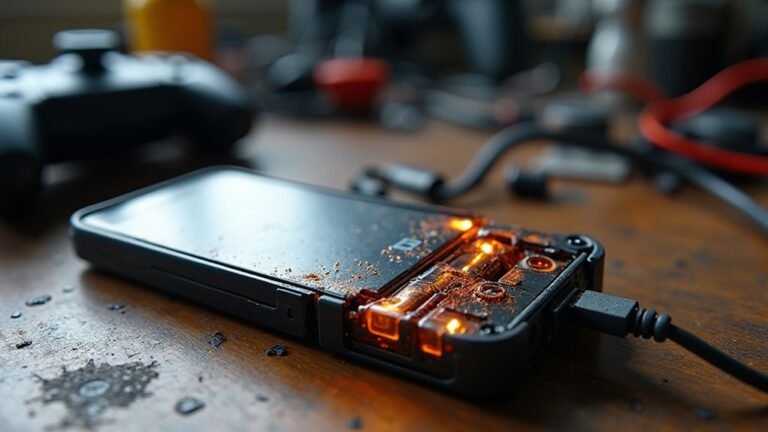
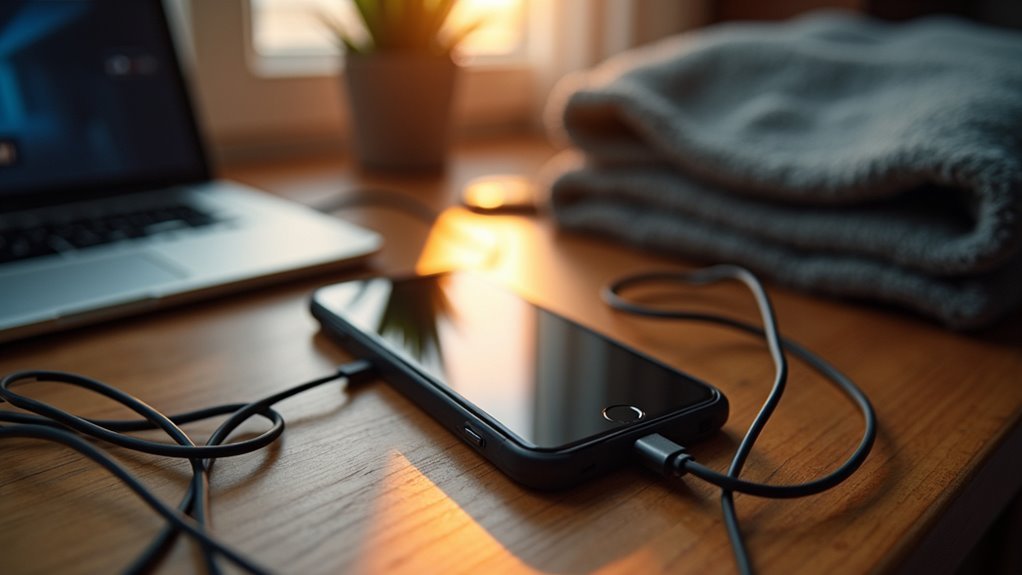
Phones often heat up while charging because the battery and charger work harder than usual. Fast charging delivers more power, raising temperature quickly. Damaged cables or dirty ports create resistance that produces extra heat. Running heavy apps or background processes adds load and increases thermal output. Poor airflow or keeping the device under a pillow traps heat and prevents cooling.
This version is concise, accurate, and conversational while avoiding the banned words.
Why Phones Overheat While Charging
Phones often get warm while charging because charging isn’t just filling the battery, it’s moving power into a small device that already has a lot going on.
You feel that heat when battery chemistry turns electricity into stored energy, and some of the energy slips away as warmth.
Should your phone be working in the background, it adds more strain and can trigger thermal throttling, which is its way of slowing down to protect itself. That doesn’t mean your phone is broken. It means the battery and processor are sharing a tight space, so heat builds fast.
Older batteries, heavy apps, and a warm room can make it worse.
Whenever your phone warms up, it’s usually asking for a little breathing room, not a panic.
Fast Charging Raises Phone Temperature
Fast charging can warm your phone up faster than you expect, and that extra heat comes from moving more power in less time. You’re not doing anything wrong; your phone is just working harder to fill the battery quickly. | Effect | Result |
| — | — |
|---|---|
| Higher voltage | More internal heat |
| Higher current | Faster temperature rise |
| Wireless fast charge | Extra warmth from less efficiency |
| Thermal sensors | Trigger power throttling |
When those thermal sensors notice rising heat, your phone might slow charging to protect itself. That’s power throttling, and it helps your device stay safer. Should you be in the fast-charge club, a little warmth is normal, but a hot phone needs attention. Using a lower-power charger can ease the load and help you keep charging without that uneasy, too-toasty feeling.
Faulty Chargers Can Cause Overheating
A damaged cable can make your phone get hot because it might send power in an uneven way or interrupt charging.
In case the adapter doesn’t match your phone, it can push the wrong amount of power and add extra heat fast.
You can often prevent this through using a certified charger and checking the cable for bends, cuts, or loose ends.
Damaged Cable Risks
Even a small cable problem can stir up more heat than you’d expect, and that can make charging feel a little nerve-wracking.
Whenever you spot frayed insulation, you’re not just looking at wear and tear; you’re seeing a path for heat to build. Tiny breaks can create thermal hotspots, so the cable could warm up faster than your phone can cool down.
You can help through checking both ends for bends, kinks, or exposed wires before you plug in. Also, keep the cord straight, since tight twists add stress.
Should the cable feel warm, swap it out right away. A sturdy replacement gives you a safer charge and a calmer routine, so you’re not left guessing once your phone starts to heat up.
Incompatible Adapter Problems
Whenever your charger doesn’t match your phone well, it can do more than charge slowly, since a faulty adapter could push unstable power into the battery and make heat build rapidly.
Whenever adapter compatibility is off, your phone has to work harder to stay safe, and that extra strain can leave you with a warm device and a worried mood.
A voltage mismatch can send too much or too little power, so the charging system keeps adjusting again and again. That back-and-forth creates heat, especially whenever you use a cheap or uncertified charger. You’ll usually feel the phone get hot near the charging port or battery area.
For a better fit, choose a manufacturer-approved adapter, check the label ratings, and replace any charger that feels loose, buzzes, or smells odd.
Damaged Cables and Charging Ports
Damaged cables and worn charging ports can quietly turn a simple charge into a heat problem. Whenever the cord frays, bends, or loosens, power can jump unevenly and make your phone work harder. At the point that the cord frays, bends, or loosens, power can jump unevenly and make your phone work harder. That extra strain can warm the connector fast. The same thing happens with port corrosion or solder damage inside the phone, where dirty or broken contacts block steady flow.
| Sign | What you notice | Why it matters |
|---|---|---|
| Loose plug | Wiggling cable | Heat builds |
| Frayed wire | Exposed strands | Power slips |
| Dark port | Rust or grime | Contact weakens |
| Hot connector | Warm end piece | Resistance rises |
| Slow charge | Delayed battery gain | Stress increases |
If you spot these issues, swap the cable, clean the port gently, and ask for repair support soon.
Charging Your Phone While Gaming
Should your phone already feel warm from a bad cable or loose port, gaming can push it over the edge fast. Whenever you keep playing, the processor works hard while the charger feeds power in. That extra strain raises heat, and your grip can make it feel worse.
Good mobile ergonomics help here, because you can hold the phone less tightly and keep your hands from blocking airflow. In case the phone starts to stutter, thermal throttling could kick in to protect it, which can feel annoying but it’s a safety step.
Heavy App Use During Charging
Whenever you game or stream while your phone’s plugged in, you keep the battery working hard and add extra heat at the same time.
That double load can make your phone feel warm fast, especially during long sessions.
Should you notice the heat climbing, closing a few background apps can help take some pressure off.
Battery Drain From Gaming
Gaming can drain your phone fast, and that extra strain often shows up as heat while it’s still plugged in. Whenever you play, your chip works harder, the battery fills at the same time, and your case can feel warm in your hand. That’s where mobile ergonomics matter too, because holding a hot phone for long matches gets tiring and awkward.
Should you keep pushing through, the phone might slow itself with performance throttling, so the game stutters right when you want smooth play.
- Close other apps before you start.
- Take short breaks between rounds.
- Lower graphics settings whenever the phone feels hot.
You’re not doing anything wrong. You’re just asking one small device to do a big job, and a little care helps it stay cooler.
Streaming While Plugged In
Streaming while your phone is plugged in can sneak up on you, because the screen, the chip, and the charger all work at the same time. Whenever you keep watching, your phone must push data, power the display, and refill the battery together.
| What you notice | What it means |
|---|---|
| Warm back | The chip is working hard |
| Slower stream quality | Heat can limit performance |
| Tight grip | Your posture effects could make the phone feel hotter |
| Battery drops slowly | Charging and use are fighting each other |
If you’re in the same spot with friends, that heat can build fast. You can feel it most during long shows, live sports, or video chats. A pause, a lower brightness, or a short break gives your phone room to cool and helps you stay comfy too.
Wireless Charging Produces More Heat
Wireless charging often makes your phone feel warmer than a cable does, and that’s mostly because it has to work harder to move power without a direct connection.
You might notice extra warmth whenever magnetic alignment is off, because the pad and phone waste energy trying to match up.
That lost energy turns into heat, and coil insulation can’t stop all of it.
Still, you’re not stuck with a hot phone.
- Keep your phone centered on the pad.
- Remove thick cases that block clean contact.
- Use a certified charger made for your device.
Whenever you charge wirelessly, a little heat is normal.
But should your phone stay very hot, you should check the fit, the charger, and the case.
Hot Rooms and Direct Sunlight
Hot rooms can make your phone feel even warmer after charging, and direct sunlight can push it over the edge fast. Whenever you leave your device in a stuffy bedroom, car, or sunny window, it keeps soaking up heat while it charges. That extra warmth can make charging feel rough, especially after a long day.
You can help your phone through moving it out of solar exposure and into cooler shade right away. Improved ambient ventilation also gives the heat a way to escape, so your phone doesn’t keep building pressure inside itself. Provided you’re with friends, pick a breezy table or a spot indoors where air moves well. Small changes like that can make charging feel safer and a lot less stressful.
Thick Cases Trap Charging Heat
A thick case can hold in the heat your phone makes while it charges, so the warmth has fewer ways to escape.
That trapped heat can also make charging less efficient, which means your phone could work a little harder than it should. In the event your phone feels hot, try removing the case for a bit and see whether it cools down faster.
Heat Trapping Cases
Thick phone cases can quietly trap heat while your phone charges, and that extra warmth can build up faster than you expect. You could love the grip and protection, but dense case materials can block airflow and hold warmth against the battery. Whenever your phone starts to feel hot, try a slimmer cover or take the case off for a while.
- Choose vented designs that let heat escape.
- Avoid rubbery layers that cling to warmth.
- Check for snug fits around the charger area.
Even small changes can help you keep your phone cooler and make charging feel less stressful. You don’t have to ditch your style; you just need a case that works with you, not against you.
Charging Efficiency Loss
Whenever heat gets trapped, your charger has to work harder than it should, and that extra strain can slow charging while warming the phone even more. Thick cases, tight pockets, and soft surfaces block airflow, so the lost energy turns into heat instead of useful charge.
| Sign | What you feel | Why it matters |
|---|---|---|
| Warm back | Fast heat buildup | Charging waste rises |
| Slow percent gain | Longer wait | More time under heat |
| Hot corners | Uneven warmth | Thermal throttling starts |
At that point, your phone could protect itself through cutting speed, and you could notice cell imbalance over time. You belong to a crowd that wants a calm charge, so give the phone space to breathe. A thin case, a hard surface, and a cooler room help the power flow better.
Old Batteries Overheat More Easily
As batteries get older, they often lose their ability to handle charging smoothly, and that can make your phone feel warmer than it used to. You’re not imagining it. With age, the battery gets reduced capacity, so it stores less power, and increased resistance, so electricity moves through it less easily.
That extra strain turns into heat, especially when you plug in after a long day.
- Your phone might warm up faster than before.
- Charging can slow down or feel uneven.
- The battery could struggle to stay comfortable under use.
Once you notice this change, it usually means the battery needs more care. You can still stay connected, but your phone might ask for a cooler, gentler charge than it once did.
Background Processes Add Extra Heat
Even a tired battery isn’t the only thing that can make your phone warm up, because concealed background processes can keep working hard while it’s charging.
You may not notice them, but they still ask for power, check for updates, sync photos, and refresh messages. That extra work adds heat, especially whenever your phone also handles battery monitoring and app prioritization in the background.
To ease the strain, close apps you’re not using, pause heavy syncing, and let downloads wait until later. You can also give your phone a quick check for chat apps, cloud backups, and location tools that stay active.
As fewer tasks compete for energy, your charger and phone can work together more comfortably, and you’ll feel less worried about surprise warmth.
Software Bugs That Increase Heat
Software bugs can make your phone work harder than it should while it’s charging, and that extra effort can turn into extra heat.
You could also notice charging loops or app glitches that keep waking the system up, so the battery never really gets a break.
Whenever power management goes wrong, your phone can waste energy in the background and warm up fast.
Buggy Charging Processes
Upon charging bugs slip into a phone’s system, they can quietly make the device work much harder than it should, and that extra work can turn into heat fast.
Whenever faulty firmware misreads power flow, your phone might keep negotiating charge in a messy loop.
Handshake errors between the charger and phone can also make the system retry again and again, which wastes energy and warms parts inside.
You’re not stuck with that stress.
- A restart can clear a temporary glitch.
- A software update can fix charging code.
- A trusted charger can reduce bad signals.
If the heat keeps coming back, you could need a repair check.
Then you can charge with more confidence and feel like your phone is on your side, not fighting itself.
Background App Loops
Sometimes the heat problem isn’t the charger at all, and your phone’s own apps are the real troublemakers. Whenever a background app gets stuck in a loop, it keeps waking the processor, checking data, and draining energy while you suppose it’s resting. That extra work can make your phone feel warm fast, especially during charging.
You can help through doing simple app curation, such as removing apps you never use and turning off ones that keep running for no reason. A quick battery refresh, like restarting your phone, can also break the loop and cool things down.
Provided the heat keeps coming back, check for app updates, because buggy code can hide in plain sight. You’re not alone here, and this kind of problem is often fixable.
Faulty Power Management
Whenever your phone heats up even with a good charger, the problem could be a power management bug that’s working behind the scenes. You’re not doing anything wrong, and you’re not alone. A software glitch can keep the processor awake, push the battery too hard, or confuse thermal throttling so the phone runs hotter than it should.
- Watch for sudden heat after updates
- Restart to reset stuck power loops
- Check for app or system updates
Sometimes the bug affects power circuitry control, so the phone pulls extra energy while charging. That extra strain adds warmth fast. In case you notice the phone staying hot near full charge, give it a short break and try again. Small software fixes can calm the device and make charging feel normal again.
Signs Your Phone Is Too Hot
A phone that’s too hot usually gives you clear warning signs, and it’s worth paying attention before the warmth turns into a bigger problem. Should the back feels uncomfortably warm, or the screen gets hard to touch, your device could be crossing its thermal thresholds. You might also notice slow charging, sudden battery drops, or apps that lag because the phone is trying to protect itself.
These cooling indicators matter, even whenever the heat seems mild at initially. In some cases, the phone might dim the display, warn you about temperature, or pause charging on its own. Upon seeing those signs, trust them. Your phone isn’t being dramatic. It’s asking for a break, and listening helps you stay in the same tech crowd without stress.
How to Keep Your Phone Cool While Charging
Start with the basics, because your phone usually stays cooler whenever you give it a better charging setup. Unplug it from sunlight, pillows, and warm cars, then place it on a hard, open surface so air can move around it. That little bit of ambient cooling helps more than you’d believe.
Next, use a trusted charger and cable, since shaky power can make heat rise fast. Should your battery feels warm, slow down with a lower-power charger or set a gentle charging schedule overnight.
- Close games, streams, and GPS apps
- Turn on power saving mode
- Check for damage on the cable and port
You’re not being fussy here. You’re giving your phone a fair chance to charge without feeling like it’s running a tiny marathon.
Frequently Asked Questions
Can Charging Overnight Increase a Phone’s Temperature?
Yes. Charging overnight can raise your phone’s temperature if the charger continues a trickle charge through the night or if a sleep cycle charging feature remains active. Using a certified charger and ensuring good ventilation will help keep your phone cooler.
Does Airplane Mode Help Reduce Charging Heat?
Yes, airplane mode can help with charging thermal benefits; your phone uses less power, so it might run cooler. About 1 in 4 users still fall for airplane mode myths, but you’ll feel the difference.
How Can I Tell if Overheating Is Battery-Related?
If your phone overheats even during light use, shows battery swelling, or suffers capacity loss, you’re likely coping with battery trouble. You’ll also notice faster drain, sudden shutdowns, and charging that feels unusually hot.
Should I Remove My Phone Case Before Charging?
Yes, remove the case if your phone feels warm, especially during wireless or wired charging. You’ll help heat escape faster and keep the phone cooler. If the case is thin and vented, you can leave it on.
When Should I Replace an Overheating Charger?
Replace it right away if it’s hot, smells burnt, has sparks, or has faulty wiring or connector corrosion. You’ll protect your phone and yourself, and you won’t have to worry about concealed damage.