Book Appointment Now

What Causes Batteries to Overheat
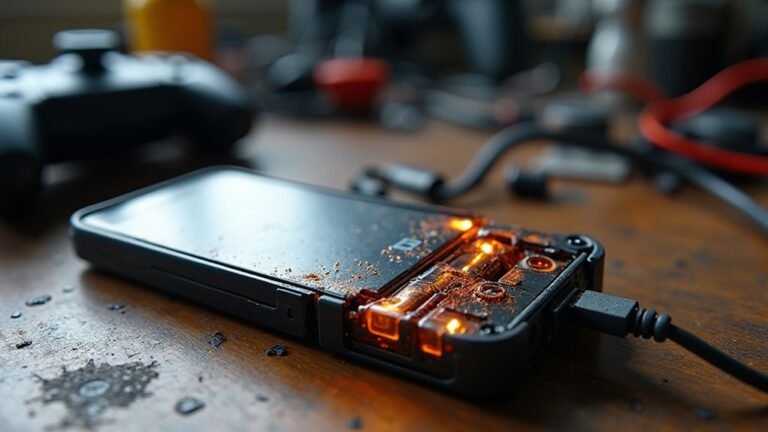
Batteries overheat because excess electrical current and internal faults generate heat faster than it can escape. Charging with a too-powerful charger or using heavy apps during charging pushes cells harder and raises temperature. Poor ventilation, tight cases, or hot environments trap heat and worsen the problem. Physical damage, aging cells, and loose connections increase internal resistance and accelerate heating. Early signs such as swelling, rapid temperature rise, reduced runtime, or unusual smells signal a need for prompt attention.
What Causes Battery Overheating?
Battery overheating usually starts whenever something pushes the battery harder than it was built to handle. You could see overcharging, fast charging, a faulty charger, or a BMS that misses unsafe heat. Then, the cells can work too hard, and pack balancing can’t keep them even.
On top of that, heavy loads, too many apps, or undersized wiring raise resistance and add more heat. Poor connections, wrong battery placement, and short circuits can spark sudden spikes too. Whenever aging cells, physical damage, or cheap materials join the mix, your battery loses its comfort zone fast.
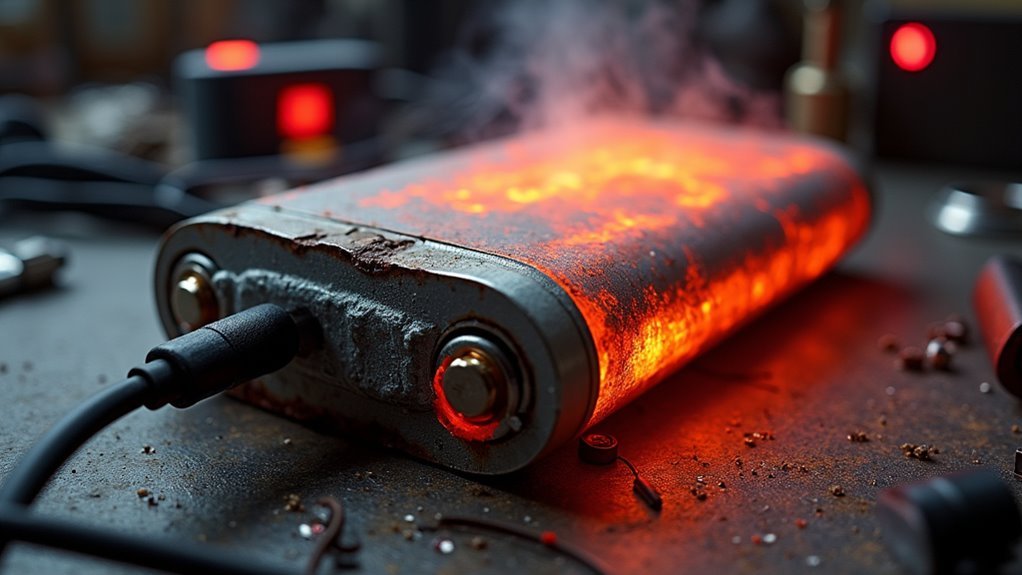
Should heat keep building, thermal runaway can begin, so you want to treat charging gear, load size, and battery care like a team that protects you together.
Signs of a Battery Overheating
Now that you know what can push a battery into trouble, it helps to notice the warning signs promptly. You could feel extra warmth at the case, see swelling, or catch a sharp chemical smell. These are common thermal runaway indicators, and they deserve your attention.
Should your device suddenly loses power, charges oddly, or gets hot faster than usual, trust that change. You might also hear a faint hiss, notice discoloration, or find the battery area too hot to hold.
For better smoke sensing, keep your eyes on any wisps, haze, or rising vapor near the device. Upon spotting these clues, stop using the battery, unplug it, and stay near it only long enough to stay safe and calm.
When Battery Heat Becomes Dangerous
Whenever your battery feels hot to the touch, swells, smells odd, or starts acting strangely, it’s telling you to pay attention fast.
Those warning signs can mean the heat is moving from normal stress into a real fire or burn risk.
Should you notice them, stop using the battery and treat it like a safety issue, not just a small inconvenience.
Warning Signs Of Overheating
A little warmth during charging can be normal, but should the heat keeps rising, that’s a clear warning sign that something’s off. You should trust your thermal indicators. Should the case feels too hot to hold, pauses in charging matter. Also, watch for swollen sides, sudden power drops, or a screen that dims fast. These signs often show the battery is struggling, not just working hard.
Next, listen for audible cues. A faint hiss, buzz, or clicking sound can mean trouble inside the pack. You might also notice a sharp smell or the device slowing down during normal use. In your circle, that’s the moment to unplug it, let it cool in open air, and check the charger and cable before using it again.
Fire And Burn Risks
Once battery heat climbs past a safe level, the risk changes from discomfort to danger, and that shift can happen fast.
You might initially notice a hot case, a sharp smell, or swelling, but the real threat is deeper. Inside, heat can trigger flammable vapors, and a small spark can turn them into fire.
Should the battery vents or splits, you can face harsh flames and medical burns in seconds. That’s why you shouldn’t touch a runaway battery with bare hands or keep it near fabric, paper, or metal.
Move away, give it space, and alert others nearby. Whenever you stay calm and act promptly, you help protect yourself and the people around you from a scary chain reaction.
Overcharging and Charging Heat
Overcharging can quietly turn a healthy battery into a hot one, because the charging process keeps pushing energy into it even after it has reached its safe limit. You mightn’t notice the extra stress right away, but heat starts to build as the cells work harder than they should.
Smart charging helps through slowing power delivery when the battery nears full, and thermal throttling can cut charging speed whenever temperatures rise. That gives your battery a chance to stay in its comfort zone.
Should you keep a battery plugged in too long, warmth can linger and add strain. So, whenever you charge, give your device some breathing room, and let its controls do their job alongside you.
Charging Problems That Cause Battery Heat
Provided that you keep charging past the safe limit, your battery can heat up fast and start to wear down.
You can also run into trouble whenever the charger sends the wrong voltage, because that pushes extra stress and heat into the battery.
And in case the connection is loose or dirty, resistance builds up, so heat can rise right where you least want it.
Overcharging Risks
Charging can quietly go off track should a battery stays plugged in too long, and that extra time can build more heat than the battery can safely handle.
You could assume a few extra minutes won’t matter, but overcharging keeps energy flowing after the battery is full. That added stress raises internal temperature and can wear the battery down faster.
Good charging etiquette means unplugging once the battery reaches the right level and using the charger your device expects. Should you ignore that habit, warranty implications could follow, since damage from overcharging often isn’t covered.
You can protect yourself through checking charge times, watching for warm surfaces, and giving the battery a break once it’s full. That small routine helps you stay safe and keep your gear trusted.
Incorrect Charger Voltage
A wrong charger voltage can turn a simple recharge into a quiet source of heat, and that can catch you off guard fast. Whenever you use a charger that doesn’t match your battery, extra energy can push inside and warm the cells. That’s why charger compatibility matters so much. You want the charger and battery to share the same needs, not fight each other.
Should voltage calibration be off, the battery could take in stress it can’t handle, and heat builds while you reckon everything looks normal. So check the label, trust the maker’s guide, and use the right adapter for your device. Once you match the charge exactly, you help your battery stay cooler, work better, and feel safer in your daily routine.
Poor Connection Heat
Loose plugs, dirty contacts, and worn wires can quietly stir up heat while your battery charges. Whenever you notice this, you’re not alone, and it’s usually fixable.
A weak grip at the plug or loose terminals makes electricity squeeze through tiny gaps, and that resistance turns into warmth. Then connector corrosion adds another barrier, so the charger works harder than it should.
You could feel the cable getting hot, or see charging slow down and start again. Because of that, check for bent pins, grime, and frayed insulation before you plug in.
Should the connection feel shaky, stop using it and switch to a snug, clean charger. Small repairs now can help you protect your battery and keep your device safer during every charge.
High Power Use and Heavy Loads
As soon as your device or battery has to work hard for a long time, heat can build up fast. When you push games, video, or tools too hard, power spikes and sustained draw make the battery work overtime. That extra effort turns into warmth, and you might feel your phone or pack getting uncomfortable in your hand.
- Heavy apps can keep energy demand high.
- Repeated surges can strain the battery.
- Long sessions leave less room to cool down.
You’re not alone should this happen during busy days. Many people hit the same limit when a device keeps asking for more. Were the load to stay above what the battery likes, heat keeps rising. Small pauses, lighter use, and fewer power-hungry tasks can help ease that strain.
Poor Ventilation Around Batteries
Whenever batteries sit in a tight, stuffy space, they can’t shed heat the way they should. You might notice your device feeling warmer because trapped air keeps carrying heat back to the battery. That’s why good ventilation matters so much.
In the event you leave room for airflow improvements, you help warm air move out and cooler air move in. Small changes can make a real difference, like opening vents, avoiding crowded storage spots, and keeping battery packs away from walls or fabric.
Should the setup still feel boxed in, an enclosure redesign could be the better fix. You deserve gear that works safely, and the battery does too. Better breathing room lowers stress, reduces heat buildup, and helps your equipment stay ready without getting uncomfortably hot.
Internal Damage and Short Circuits
Once your battery gets damaged, the inner layers can tear or shift, and that opens the door to trouble.
Those broken paths can let current move where it shouldn’t, creating internal short circuits that heat things up fast.
Should you notice swelling, odd warmth, or a sudden drop in performance, your battery might already be warning you that something’s wrong.
Damaged Cell Layers
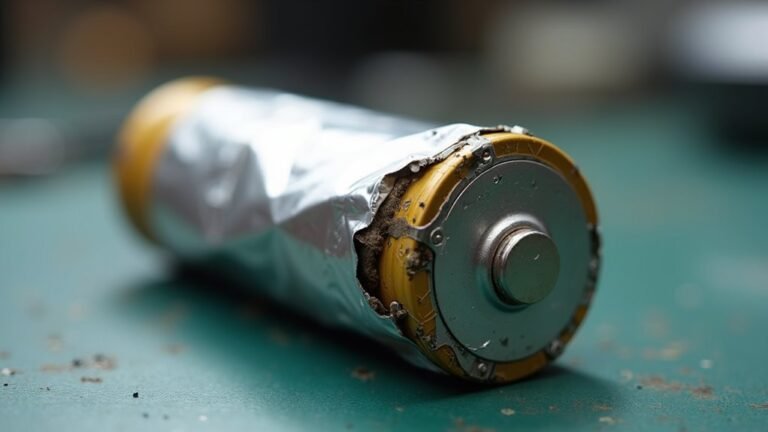
A tiny crack inside a battery can quietly turn into a real hazard. Whenever you notice layer delamination, the stacked parts stop sitting snugly together, and heat can build as the cell works harder. Should that damage worsen, electrolyte leakage can follow, which lowers stability and adds more stress to the battery. You may not see the problem right away, but your device can feel warmer during use or charging.
- A swollen case often signals layered damage.
- A sharp drop in performance can point to trouble.
- A damaged battery deserves quick attention.
Because the cell’s layers no longer support each other, normal use can feel risky. You’re not being fussy by checking it sooner; you’re protecting your space and everyone around you.
Internal Short Paths
Whenever you crack, crush, or bend a cell, you could open concealed internal pathways that let current flow where it shouldn’t.
Tiny separator tears can let the positive and negative sides touch, and that contact can create hot spots fast.
In some cases, micro welds form at these contact points, making the fault stronger and harder to stop.
You may not see the problem right away, but the battery can keep working under stress while heat climbs inside.
Should you handle a damaged battery, you protect yourself and everyone around you through treating it as unsafe and getting it checked or replaced promptly.
Heat Buildup Signs
Heat buildup often gives you clear clues before a battery becomes dangerous, and that’s good news because you can catch trouble ahead of time. You might feel a warm case, see surface hotspots, or notice swelling near damaged cells. These signs often point to internal damage or short circuits, where current slips through the wrong path and creates heat fast.
Should the battery show thermal gradients, one side could feel hotter than the other, which tells you trouble is building inside.
- Stop using the battery should it feel oddly hot.
- Watch for bending, bulging, or a sharp smell.
- Check connectors for scorch marks or loose contact.
When you notice these changes, you’re not alone. Small clues like these often show up before bigger failure, so trust your instincts and act quickly.
How Battery Age Raises Heat
As a battery gets older, its inner parts don’t work as smoothly as they once did, and that small change can make a big difference. You might notice capacity fade, so your battery holds less energy and works harder to do the same job.
As that happens, impedance rise makes it resist current more, and resistance turns extra power into heat. Whenever you charge or use an aging battery, it can warm up faster because its worn materials move energy less efficiently.
You’re not doing anything wrong; the battery is simply losing its comfort zone. So, with age, the same routine can feel tougher for it, and heat builds sooner. Provided you give it regular checks and replace it whenever performance drops, you can keep your device safer and steadier.
Manufacturing Defects That Cause Overheating
Tiny flaws can set off big heating problems, and that’s why manufacturing defects matter so much. Whenever you buy a battery, you trust the maker to keep every cell safe. Should quality control slips, tiny gaps, weak separators, or bad seals can let heat build fast. Electrolyte contamination can also change how the battery works, so you might notice swelling, odd smells, or sudden warmth.
- A thin separator can fail under stress.
- Metal bits inside can trigger short paths.
- Poor sealing can let moisture sneak in.
Because these defects start inside the pack, you can’t always spot them right away. Still, you can protect yourself through choosing trusted brands and watching for initial warning signs. That way, you stay safer and feel more confident using your device each day.
Why Extreme Temperatures Make It Worse
Extreme heat speeds up the chemical reactions inside your battery, so it can build heat faster than it can release it.
Cold can slow the battery down, lower its efficiency, and make it work harder just to do the same job.
Over time, these temperature swings stress the cells and can damage them, which makes overheating more likely.
Heat Increases Chemical Activity
Heat can change a battery’s chemistry fast, and that’s where trouble starts. Whenever warmth rises, reaction kinetics speed up, so the battery’s internal reactions move faster than they should. That means you get more heat, and the cycle can feed itself. Because of lower activation energy needs, unwanted reactions can happen easier, especially whenever you’re charging or using the device hard.
- Your battery might feel warm sooner than usual.
- Stress can build inside the cells.
- Safety limits can get reached faster.
If you’re in a hot space, give your battery room to breathe. You’re not alone in this, and small changes help a lot. Keep heavy use brief, avoid stacking heat on heat, and let the battery cool before you push it again.
Cold Reduces Battery Efficiency
Whenever a battery gets too cold, it can’t move energy as easily, and that makes everything work harder inside it. You might notice slower starts, dim screens, or a tired feeling from your device. That drop in cold performance happens because the battery’s chemistry slows down, so it delivers less power when you need it.
As a result, you can see capacity loss, even though the battery is still healthy. Whenever you ask it to do the same job in freezing air, it must strain more to meet demand. Then, once you warm it up and charge it again, it usually acts more like itself.
Temperature Stress Damages Cells
Now that cold has slowed things down, the next problem is the damage that starts as temperatures swing too far in the other direction.
Whenever you move a battery from freezing air into heat, or the other way around, it faces thermal cycling.
That repeated push and pull stresses the inside parts, and material fatigue builds over time.
You mightn’t see it right away, but tiny cracks, warped layers, and weaker seals can form.
Then the battery has a harder time moving energy safely, so heat can rise faster during use or charging.
- Hot days can speed up wear.
- Sudden temperature changes strain cells.
- Repeated swings shorten safe life.
How Different Battery Types Overheat
Although all batteries can get hot, different types overheat for different reasons, and comprehension of that can save you a lot of worry.
In your phone or laptop, lithium-ion cells often heat up whenever charging runs too long or whenever heavy apps pull hard current.
A solid state battery can still warm up, but it usually faces less risk from liquid leakage and more from internal stress or faulty control.
A flow battery works differently, so heat often comes from pumps, resistance, or blocked circulation.
Older, damaged, or poorly made batteries in any device can also run hotter because their parts fight each other.
How to Prevent Battery Overheating
Start with good habits, and your battery will often stay cooler, safer, and much happier. You can prevent overheating provided charging only with the right charger and stopping at full charge.
Keep devices off soft beds or sunny windows, because trapped heat builds fast. Give your battery room to breathe, and use thermal pads whenever your setup runs warm.
- Store batteries in a cool, dry place with proper storage.
- Avoid heavy app use while charging, since extra work raises heat.
- Check cables, ports, and terminals so loose connections don’t add resistance.
Also, don’t leave batteries in hot cars or near heaters. Assuming you notice swelling, odd smells, or extra warmth, pause use and let a trusted pro inspect it. Small habits help you remain in the safe crowd.
What to Do When a Battery Overheats
Initially, power it down and move it to a safer spot. Give it immediate isolation from bags, fabric, and sunlight so the heat can drop. Should you be able, unplug the charger and remove nearby devices. Don’t press, poke, or cool it with ice, since that can make things worse.
Stay close, but keep your distance in case you smell smoke, hear popping, or see swelling. Call for help right away provided the battery looks damaged or keeps getting hotter. Then arrange a professional inspection before you use it again.
You’re not overreacting here; you’re protecting yourself and your group. Also, ventilate the area and let it rest in open air. Afterward, monitor it until a trained tech checks it.
Frequently Asked Questions
Can a Battery Overheat While Not Actively Charging or in Use?
Yes, a battery can overheat while it is idle because self discharge, damage, or an obscured fault can build heat and trigger thermal runaway. You should use safe storage, perform quick checks, and get support.
Does Using a Phone Case Make Battery Overheating More Likely?
Yes, if your case traps heat like a cozy blanket, it can raise overheating risk. Good thermal insulation and poor case ventilation keep warmth in, so choose a breathable case and give your phone occasional cooling breaks.
Can Battery Overheating Damage a Device Beyond the Battery Itself?
Yes, overheating can damage your device beyond the battery itself. It can warp internal circuitry, stress connectors, and cause thermal expansion that cracks parts. It can also weaken performance, compromise safety, and reduce your device’s long term reliability.
How Often Should Battery Terminals Be Cleaned to Reduce Heat Buildup?
You should clean battery terminals monthly and add a seasonal inspection for extra peace of mind. You’ll cut resistance, reduce heat buildup, and keep your setup reliable, safe, and ready whenever you need it most.
Can a Battery Overheat Even if the Charger Seems to Work Normally?
Yes, you can still overheat a battery even while the charger seems normal. Run charger diagnostics and check for internal defects, high load, heat, or aging cells; you are not alone in spotting concealed problems.